
13 Aug 2026 • 1 min read
Imagine this.
One day you decide to change marketing agencies, hire a new staff member, or simply log in to make a change to your Facebook or Instagram advertising.
Then you discover that nobody has access.
Unfortunately, this happens far more often than you'd think.
At Web Antler, we regularly spend time helping businesses recover Facebook pages, advertising accounts, Instagram profiles and tracking tools that have become disconnected, locked away in someone else's account, or simply forgotten over time.
The good news is that it's almost always preventable.
Meta Business Manager (now often called a Business Portfolio) is simply the place where all of your Facebook and Instagram business assets live.
Rather than individual people owning your assets, your business owns them.
Inside your Business Manager are things like:
Think of Business Manager as the master key to your Meta presence.
If your business controls the Business Manager, it controls everything inside it.
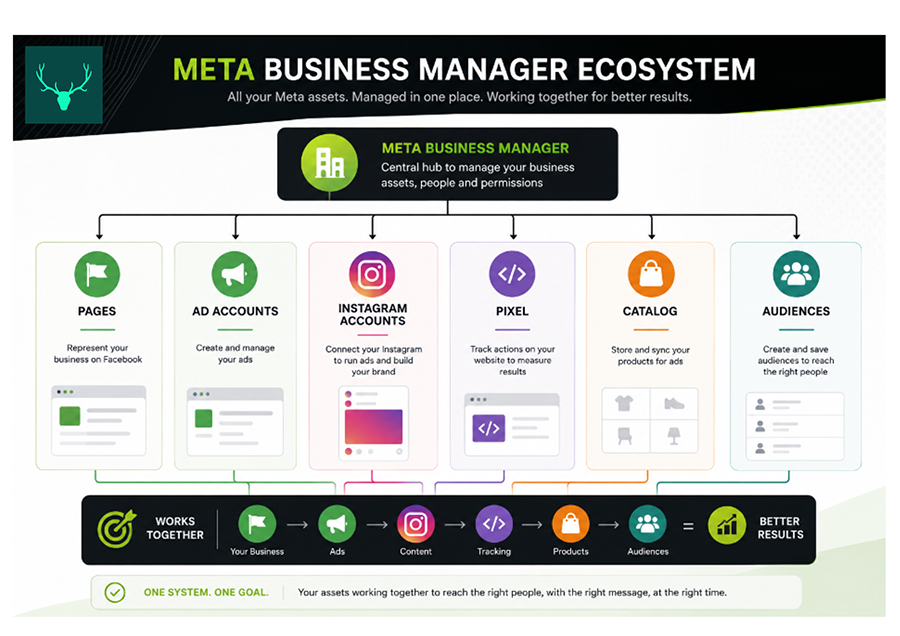
When your business owns its Business Manager:
Without Business Manager ownership, your digital assets can effectively become attached to someone else's account—even if they're your own Facebook page or advertising account.
Over the years we've seen businesses where:
These situations aren't anyone's fault—they're simply the result of Meta evolving over many years.
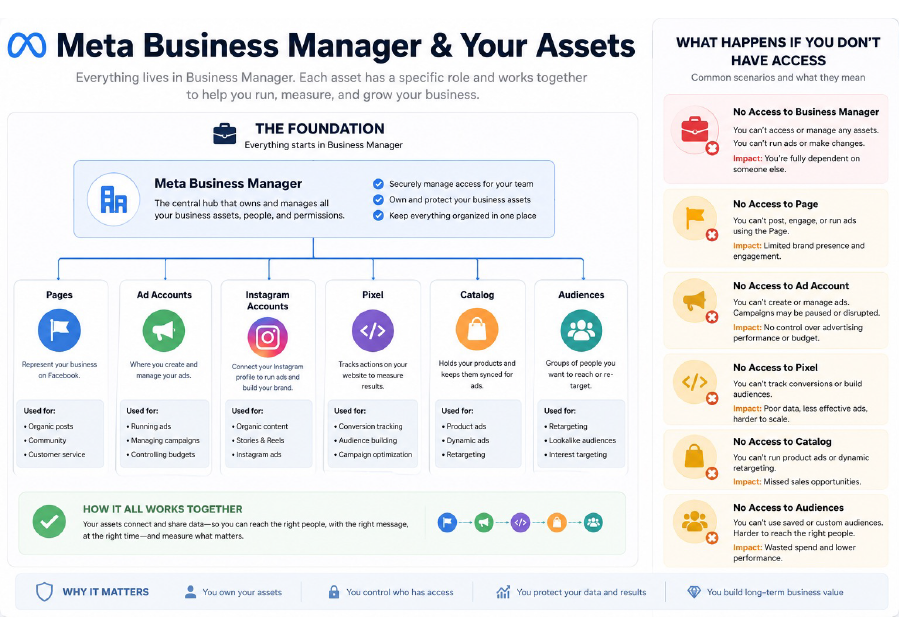
Every business should:
✓ Have its own Meta Business Manager.
✓ Have at least two trusted administrators within the business.
✓ Ensure all Meta assets belong to that Business Manager.
✓ Grant agencies partner access rather than transferring ownership.
This keeps your business in control while still allowing your marketing team to do everything they need.
Sometimes fixing ownership isn't as simple as clicking a button.
Recovering or reconnecting assets can involve:
WARNING: Because every situation is different, these investigations and recovery processes can take anywhere from a short session to several weeks, particularly when Meta Support is involved.
For this reason, any work required to investigate, recover, create or reconnect Meta assets falls outside normal campaign management and is treated as a separate project. We'll always discuss the scope with you before any work begins so there are no surprises.
Even if you're not currently advertising, it's worth taking a few minutes to confirm that your business owns its Meta Business Manager and everything inside it.
It's one of those jobs that's easy to overlook but it can save hours (or even days) of frustration in the future.
If you're unsure whether everything is set up correctly, we're happy to help you review your Meta account structure and identify any issues before they become a problem.
Request our handy checklist as a starting point to see if you have all of the accesses you need!